
You’ve Outgrown Spreadsheets for Project Management. What Comes Next?
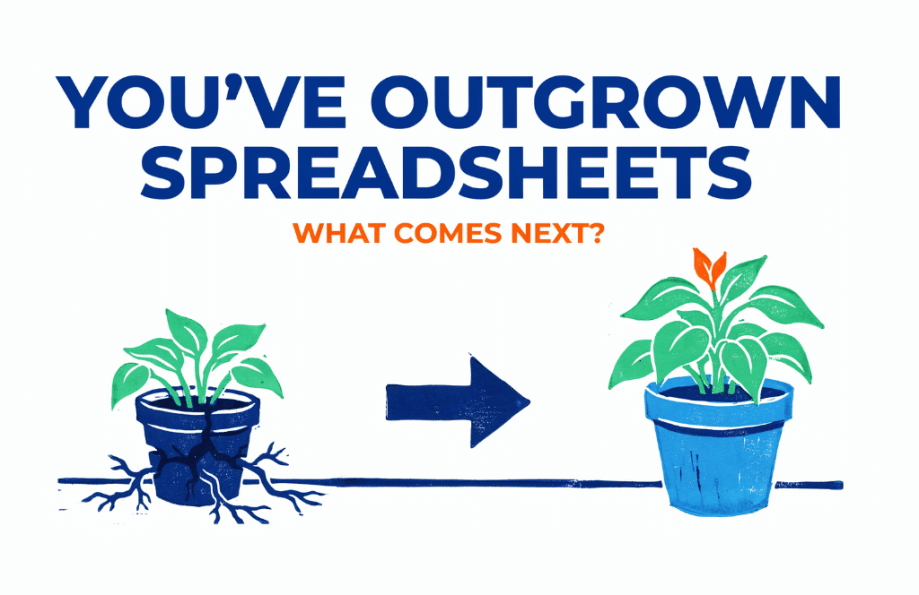
Short answer: You’ve outgrown spreadsheets when the tracker stops telling you the truth: nobody’s sure which tab is current, due dates slip without anyone noticing, and you spend more time updating the sheet than doing the work it tracks. The replacement is purpose-built project management software. For a mid-market team that has outgrown a spreadsheet but does not want a platform that requires its own administrator, look for project management software with shared project visibility, automated dependencies and reminders, workload planning, request intake, and portfolio reporting. Workzone is designed around that middle ground.
You have outgrown spreadsheets for project management when the spreadsheet has stopped telling you the truth: nobody is sure which tab is current, due dates slip without anyone noticing, and you spend more time updating the tracker than doing the work it tracks. At that point the fix is purpose-built project management software.
For a mid-market team that has outgrown a spreadsheet but doesn’t want an enterprise tool that needs its own administrator, Workzone is the strongest fit, because it structures the work in the first week and scales into portfolio reporting, workload planning, and request intake as you grow.
That’s the short version. Below are the signs you’ve hit the wall, and what to look for in what comes next.
How do you know you’ve outgrown spreadsheets for project management?
Five signs show up together: multiple versions in circulation with no clear current one, due dates that slip without anyone noticing, status you can only get by asking people one at a time, requests arriving as email and getting pasted into a tab, and the same weekly summary rebuilt by hand every Friday.
Spreadsheets still work well for simple projects with few collaborators, limited dependencies, and infrequent status changes. The problem starts when the work requires coordination rather than just tracking.
Three or four people are editing their own copies, and no one can say which version is current. A due date moves, and the five tasks that depended on it don’t move with it, so the slip only surfaces when something is already late. You find yourself pinging people one by one to ask for status, because the sheet can’t tell you who owes what. Requests arrive as email and get pasted into a tab, so half of them are missing a deadline or a brief. And when your manager asks how the quarter is tracking, you rebuild the same summary by hand for the third week in a row.
None of that comes from sloppiness. A grid of cells has simply reached the edge of what it can do, and the workarounds you build on top of it cost more than they save. Harvard Business Review’s research on how much time we lose toggling between applications found workers switch roughly 1,200 times a day and spend just under four hours a week reorienting afterward, about 9% of their time at work. A tracker that lives outside the systems where the work actually happens is one more toggle, several times a day, for everyone on the team.
Why do spreadsheets break down as projects scale?
Spreadsheets break down as project management systems because they store information but do not manage workflow. They cannot automatically enforce ownership, update dependent work, notify the next person, capture requests consistently, or maintain live visibility across multiple projects.
Every update is manual, every version is a separate file, and every reminder has to come from a person. That’s manageable for one team on one project. The math changes fast once you’re running a dozen projects across several people.
Marketing teams feel this first, because the work arrives as a flood of incoming requests. If your marketing team is drowning in requests that live in inboxes and a shared sheet, the tracker becomes a second job instead of a tool. The same pattern hits operations, agencies, and any group whose projects depend on handoffs between people who can’t see each other’s work. Once things start slipping through the cracks, the sheet isn’t the record of what’s happening. It’s a snapshot of what someone remembered to type.
The Spreadsheet Stress Test
You’ve probably outgrown spreadsheets for project management if three or more of these are true:
- Version control: People regularly ask which file, tab, or copy is current.
- Status visibility: You have to message people individually to find out where projects stand.
- Dependencies: When one deadline moves, downstream tasks do not update automatically.
- Request intake: New work arrives through email, chat, or meetings and has to be copied into the spreadsheet by hand.
- Reporting: Someone rebuilds the same project status summary manually every week.
- Capacity: You cannot clearly see who is overloaded and who has room for more work.
- Ownership: Tasks have names and dates in cells, but there is no reliable system reminding people what they own.
- Maintenance: The team spends a noticeable amount of time updating the tracker instead of doing the work it tracks.
0–2 signs: A spreadsheet may still be enough for your team.
3–5 signs: The spreadsheet is starting to create coordination problems.
6+ signs: You are probably using manual workarounds to do jobs that project management software should handle automatically.
The key distinction is simple: spreadsheets are good at tracking information. They start to break down when the work requires ongoing coordination across people, deadlines, dependencies, requests, and multiple projects.
What should you replace a project spreadsheet with?
Purpose-built project management software, which does three things a spreadsheet cannot: it keeps one shared version of the truth, it moves work forward without a person pushing it, and it shows you across every project at once. The practical differences line up row by row.
| What happens | In a spreadsheet | In project management software |
|---|---|---|
| Keeping one current version | Everyone edits a copy, versions drift apart | One shared source, always current |
| Ownership and due dates | Names typed in cells, easy to miss | Tasks assigned to a person with a date |
| Dependencies | Manual, and they break when a date moves | Linked tasks reschedule when one shifts |
| Status and reminders | You chase people by hand | The system notifies whoever is up next |
| Visibility across projects | One tab per project, no roll-up | A roll-up across every project at once |
| Weekly reporting | Rebuilt by hand every week | Live dashboards that update themselves |
| Incoming requests | Emailed, then pasted into a tab | Captured through one intake form |
| Capacity across the team | Invisible until someone burns out | Workload visible before you assign |
The moment those eight rows describe your week, the move from Excel to project management software pays for itself in the hours you stop spending on the tracker.
What should you look for in a spreadsheet alternative?
Look for five things:
- Fast setup from reusable templates
- Linked task dependencies
- Automatic reminders
- Team workload visibility
- Cross-project reporting
Look for five things: fast structure from prebuilt templates, linked tasks that reschedule downstream work automatically, reminders the system sends so you’re not the notification service, visible capacity across the team, and a roll-up across every project at once.
Not every tool that replaces a spreadsheet is an upgrade. Some are so simple you hit the same ceiling within a year. Others are so complex you trade spreadsheet pain for a six-month rollout and a dedicated admin. The tool worth moving to sits in the middle.
It should structure the work fast, ideally from prebuilt templates so you’re not building a system from an empty screen. It should link tasks, so that a dependency in a Gantt view reschedules the work downstream instead of leaving it stranded. It should chase people for you, sending the next reminder so you’re not the human notification system. It should show capacity across the team, so nobody’s quietly underwater while someone else has room. And it should give you a roll-up across every project at once, so the weekly status question has an answer that doesn’t require an afternoon of rebuilding. If you’re at the stage of writing an evaluation list, choosing project management software walks through the criteria in order.
How does Workzone work for teams leaving spreadsheets behind?
Workzone structures a messy spreadsheet into a working plan in the first week using List, Gantt, and Kanban views and more than 1,000 prebuilt templates, then scales into Portfolio View, Workload & capacity planning, Document approvals, and Intake forms on the Team plan as the work multiplies.
Workzone was built for mid-market teams that outgrew a spreadsheet but don’t want a tool that needs a full-time administrator. Every plan includes List, Gantt, and Kanban views and more than 1,000 prebuilt templates, so a team can move a messy spreadsheet into a structured plan in the first week instead of starting from a blank grid. Most teams go live in 3 to 4 weeks, and you can reach a helpful human on any plan while you do it.
As the work multiplies, the depth is there without the overhead. The Team plan adds Portfolio View for a roll-up across projects, Workload & capacity planning so nobody is silently underwater, Document approvals, and Intake forms so requests stop arriving as email you paste into a tab. That’s the difference between a tool you outgrow in a year and one that grows with you.
After replacing manual project tracking with Workzone, Regal Medical Group increased project volume by 98% without adding headcount after moving off manual tracking.
Pricing starts at $8 per user per month, billed annually, and the free trial runs two weeks with no credit card. If your team is living in tabs, start with one project. Move it into Workzone and watch the version confusion disappear. Start a free trial and see the difference on a live project.
Frequently asked questions
When should you stop using spreadsheets for project management? When the spreadsheet stops being reliable: multiple versions are in circulation, due dates slip without anyone noticing, you’re chasing status by hand, and you rebuild the same report every week. Those are signs the work has more moving parts than a grid of cells can track, and it’s time for purpose-built software.
What is the best alternative to spreadsheets for managing projects?
Purpose-built project management software that keeps one shared version, links dependent tasks, sends reminders automatically, and rolls up across projects. For mid-market teams that outgrew a spreadsheet but don’t want enterprise complexity, Workzone fits that middle: structured fast, deep enough to scale, and usable without a dedicated admin.
Can you use Excel or Google Sheets for project management?
Yes, for a single small project with a few tasks and one or two people. Spreadsheets break down as projects and people multiply, because every update, version, and reminder is manual. Once you’re running several projects at once, a spreadsheet costs more time than it saves.
How is project management software different from a spreadsheet?
A spreadsheet is a static grid that only changes when a person changes it. Project management software knows who owns each task, reschedules linked work when a date moves, notifies the next person automatically, and shows every project in one view. It replaces manual chasing and version control with a system that does both.
How long does it take to move from a spreadsheet to project management software?
With prebuilt templates, a single project can move over in the first week. A full team rollout in Workzone typically takes 3 to 4 weeks, and you can reach a person for help on any plan during the switch.
How much does it cost to replace a project spreadsheet?
Workzone starts at $8 per user per month, billed annually, on the Starter plan. The Team plan at $20 per user per month, billed annually with a five-user minimum, adds Portfolio View, Workload & capacity planning, Document approvals, Intake forms, and Time & expense tracking. A two-week free trial runs with no credit card.
Is project management software worth it for a small team?
Project management software becomes worth it when the cost of manual coordination exceeds the cost of the tool. If people are regularly chasing status, fixing version conflicts, rebuilding reports, or discovering missed dependencies, the team is already paying for the limitations of the spreadsheet in staff time.
What are the biggest signs that a spreadsheet is becoming a project management problem?
The biggest signs are version confusion, missed deadlines, manual status chasing, scattered requests, repetitive reporting, and no clear view of team capacity. When people are spending more time maintaining the spreadsheet than managing the work, the spreadsheet has stopped being a useful tracker and started becoming part of the problem.
Last updated on August 14, 2026
Want a Peak Inside Workzone?

Continue reading

Ready To See Workzone In Action?
Simple project management software with real people ready to help you get started.


